
SwipeTrove Research Notes · Product workflow guide
A useful swipe file keeps the source and the reason you saved it. This walkthrough takes one selected Meta Ad Library reference from discovery to a searchable research note.
1. Choose a reference for a real question
Start with a question such as “How could I show the product before explaining the offer?” Open the Meta Ad Library, find an advertiser, and choose one relevant public ad. Open its details and keep the link to that exact reference.
Check the advertiser and Library ID before saving. An advertiser Page or search result is useful for finding references, but it is not the same as an exact ad. Only save material you own, license, or are otherwise authorized to access and use.
2. Save with the extension or web app
With the Chrome extension
- Open Extension setup and follow the verified Chrome Web Store link.
- Open SwipeTrove in Chrome, choose Connect account, and complete the connection on SwipeTrove.
- Return to the selected public Meta ad. Use Save to SwipeTrove, review the detected reference, and save it to your Library.
- Add a note and tags while the idea is fresh. If you choose an existing collection, check the saved reference in your Library afterward.
Without the extension
In your signed-in workspace, use Add ad. Paste the public Ad Library link and review the result before saving. The extension also accepts a pasted public ad link. A manual reference can keep the source even when capture details or media are unavailable.
If the connection or capture fails, keep your source link and try the web route. Do not substitute a different ad just because it has similar media.
3. Check what was captured
Open the saved reference and inspect its source and capture status. Complete, partial, reference-only, and unavailable describe what could be retained; they are not ratings of the ad’s quality or performance.
- Complete: review the captured fields against the selected source. This does not mean every fact about the campaign is known.
- Partial: use the details that are present and leave missing facts unknown.
- Reference-only or unavailable: keep your source and your own note; do not assume a playable or archived media copy exists.
Source media can change or disappear. A Free saved reference is not a promise of a lasting independent media archive.
4. Write why it is worth keeping
In the saved ad’s note editor, write an observation you can use later and choose Save note. A draft or text in the editor is not a confirmed server save; check the saved state before closing.
Example note — hypothetical, not a performance claim
“Worth remembering because the first frame shows the product solving a small-space problem. I would test that visual opening against our explanation-first version, keeping the offer and CTA the same.”
The visible first frame is an observation. The proposed test is your interpretation. Neither proves that the advertiser’s campaign is profitable.
5. Organize and find it again
Put the reference in a collection with a clear job, such as “Small-space product openings”. Use a few useful tags instead of a different vocabulary for every save. Favorite a reference when it deserves another look.
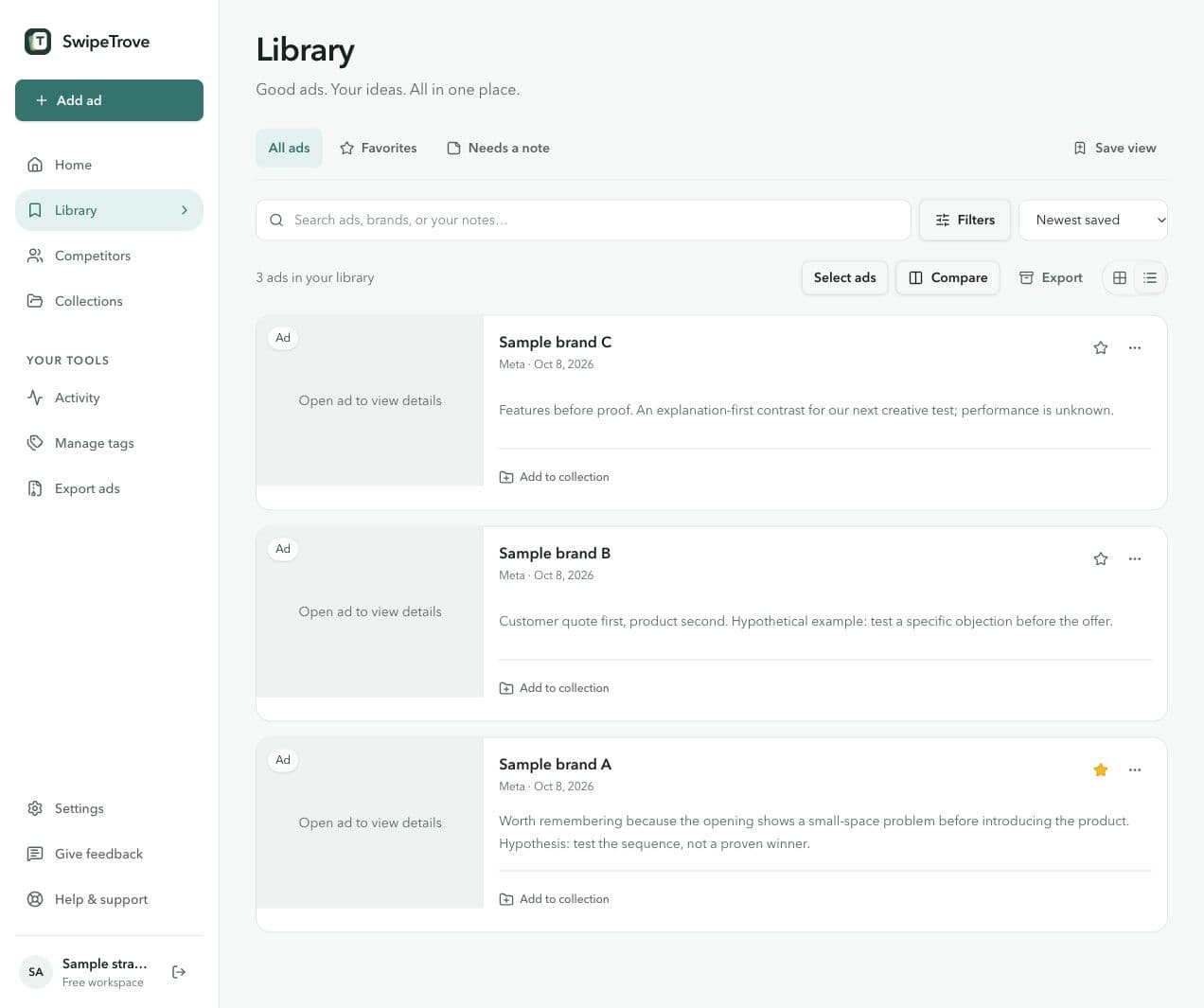
When the next brief starts, search a phrase from your note, such as “small-space”. Reopen the reference and check whether its original reason still fits the new question. Compare a focused shortlist and use a collection’s private Playbook draft to write what you would adapt.
Limits, availability, and responsible use
Free lets you keep up to 25 saved references at a time across the web app and extension, and 3 collections. Downloads do not consume a saved-reference slot. Removing a saved reference frees a slot; keep any research you need before deleting it.
Pro media archiving, research exports, and recipient handoffs are coming soon. Saving an ad does not grant reuse rights. SwipeTrove does not bypass private content, authentication, or platform restrictions and is not affiliated with Meta.
Read Acceptable Use and Copyright & IP. For a capture or account problem, contact support.